


Warenkorb
Tickets kaufen
Workshop for Schools
Scratch meets Pop Art
Warhols Flowers as Code
Scratch meets Pop Art
Inspired by Andy Warhol’s iconic Flowers series, this workshop translates Pop Art into programming logic. A simple petal becomes a dynamic “flower brush” through code—merging art appreciation with algorithmic thinking. Repetition and variation are experienced as interconnected principles. The workshop is interdisciplinary, playful, and team-building.
What’s it about?
Warhol chose a deceptively simple motif with Flowers, yet raised profound questions about seriality, reproduction, and impermanence. In this workshop, we transfer these ideas into digital image-making: students use Scratch to program a brush that “prints” flowers onto the screen. The process is strictly serial and surprisingly diverse at the same time. Along the way, we discuss copyright, media culture, and remix practices.
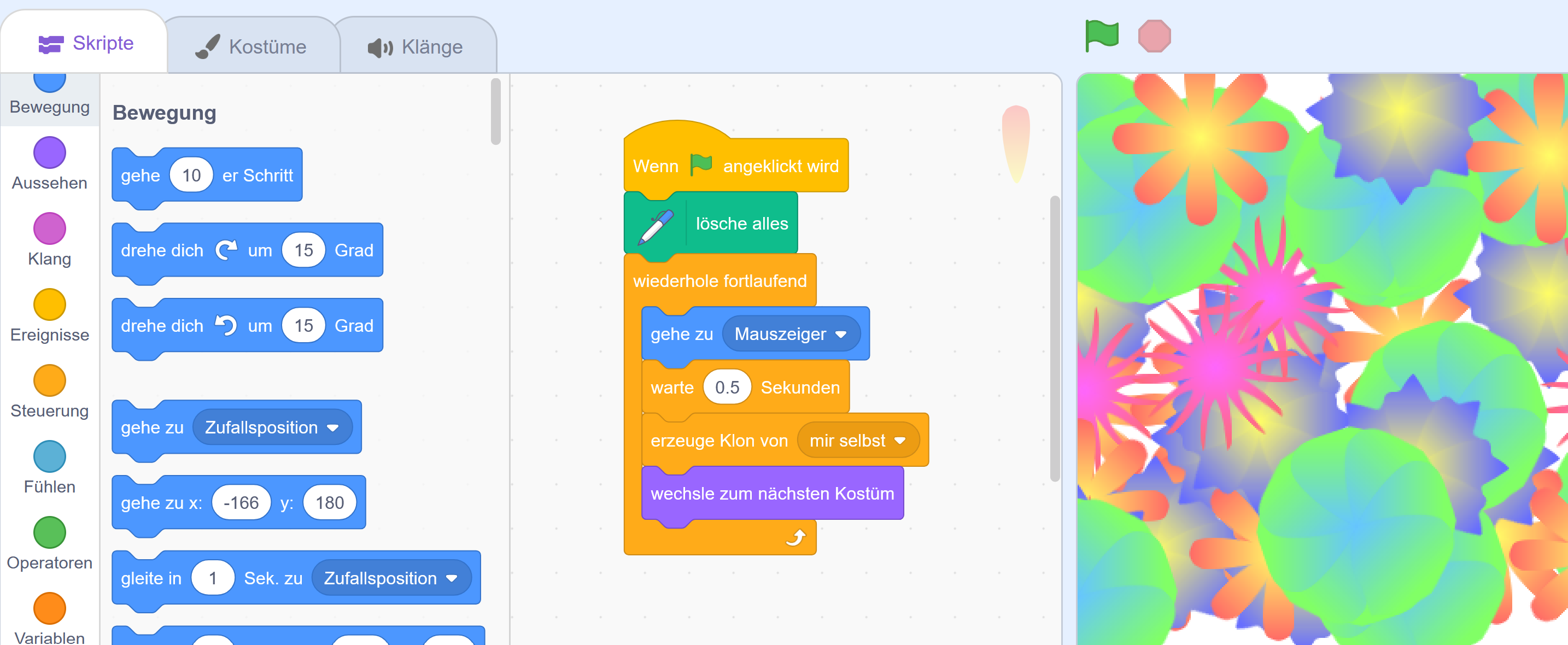
In our Scratch meets Pop Art workshop, students discover how art, code, and design interact. Starting with Andy Warhol’s Flowers, we explore concepts of seriality, variation, and remix—and translate them into digital creation. In Scratch, learners program a “flower brush”: beginners work with sprites, clones, and costumes; advanced participants draw algorithmically using the pen extension. They apply events, loops, parameters/variables, randomness, and debugging—developing their own interactive art project in the browser.
Why do my students need this workshop?
Because they learn not just to consume technology, but to understand, evaluate, and shape it themselves. In an age of AI, automation, and misinformation, this workshop combines creative making with critical digital reflection. Learners break down phenomena into clear steps (algorithmics), make informed decisions, collaborate, and give structured feedback. This fosters key future skills. Design based on digital literacy is linked with media competence (sources, copyright/remix, data & code logic), collaboration, and communication. The goal is genuine empowerment: from “I can’t do this” to “I built this.”
Structure
- Art Insight & Discussion: A brief introduction to Warhol’s Flowers (themes, seriality, color impact, remix & rights)
- Codelab with Two Levels
o Beginners: Flower Brush for Starters – a hand-drawn sprite is duplicated via code (clones, loops, events)
o Advanced: Flower Brush with Pen – the flower is generated purely algorithmically using Scratch’s pen extension (angles, repetitions, visibility/pen on–off) - Team Sharing & Reflection: Mini-gallery of generative Flowers and group discussion: What makes something “unique”? What defines a “series”?
Learning Goals & Curriculum Links
- Digital Literacy: Algorithmic thinking, sequences, loops, events, basic parameters/variables, debugging, media creation
- Visual Arts: Color, form, composition; serial work; variation vs. repetition
- Media Competence: Copyright & sources (remix discussion around Flowers), responsible use of visual templates
- Teamwork & Communication: Sharing ideas, assigning roles, presenting results
Practical Info
- Duration: 2 hours
- Format: Workshop at mumok (adapted for secondary level; suitable for class groups)
- No prior knowledge required
- Technology: Scratch in browser or offline (laptops/computers with internet access); pen extension for advanced level
Good to Know
We tailor the pace and depth to the learning group (from beginner to advanced). Projects work best with a mouse or trackpad; tablets are possible if a keyboard is available.
Request a Date
Explore Pop Art, learn to code, and let creativity bloom – we’re happy to support you in planning and defining learning goals for your class.
© mumok – museum moderner kunst stiftung ludwig wien